Introduction
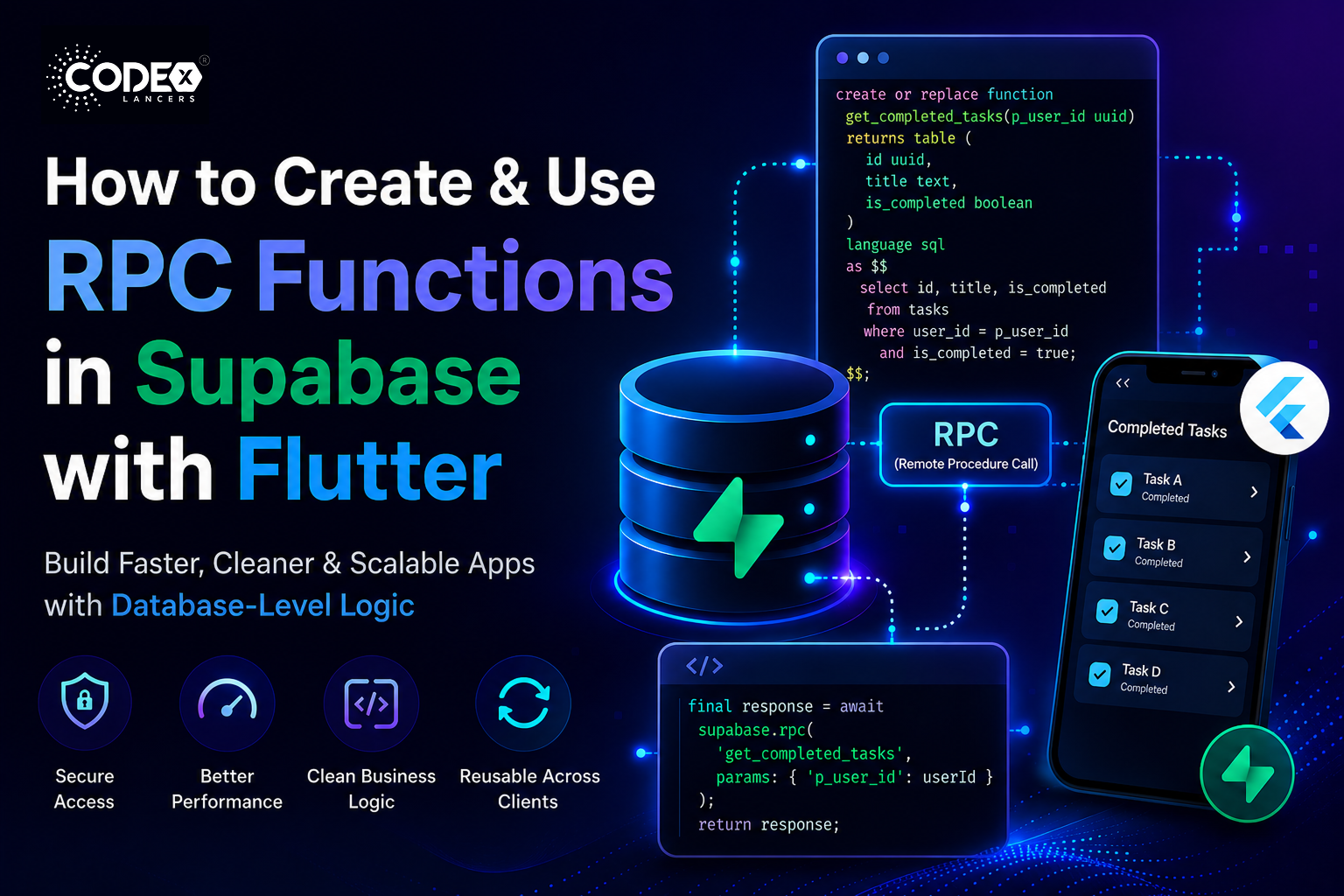
When building modern apps, you often need to perform complex database operations — like filtering data, calculating values, or combining multiple queries. Writing all this logic directly in your Flutter app can quickly become messy and inefficient.
That’s where RPC (Remote Procedure Call) functions in Supabase come in.
RPC functions allow you to write SQL functions inside your database and call them directly from your app as if they were APIs.
Why use RPC functions in Supabase?
- Keep business logic inside the database (cleaner architecture)
- Reduce network calls (better performance)
- Improve security (controlled access to data)
- Reuse logic across multiple clients (Flutter, Web, etc.)
Prerequisites
Before we start, make sure you have:
- A Flutter project set up
- A Supabase project created
- Supabase Flutter SDK installed
- Basic knowledge of SQL (SELECT, WHERE, etc.)
Step 1: Create an RPC Function in Supabase
Let’s say we have a tasks table and we want to fetch all completed tasks for a specific user.
Example Table: tasks
idtitleuser_idis_completed1Task A101true2Task B101false
SQL Function
Go to Supabase Dashboard → SQL Editor, and run:
create or replace function get_completed_tasks(p_user_id uuid)
returns table (
  id uuid,
  title text,
  is_completed boolean
)
language sql
as $$
  select id, title, is_completed
  from tasks
  where user_id = p_user_id
    and is_completed = true;
$$;
Explanation (Simple)
create or replace function→ creates the RPC functionp_user_id→ input parameterreturns table→ defines output structureselect ...→ actual query logic
Step 2: Test the Function in Supabase
Before using it in Flutter, test it.
Run this in SQL Editor:
select * from get_completed_tasks('your-user-id-here');
Expected Output
You should see only completed tasks for that user.
Step 3: Call RPC Function in Flutter
Now let’s call this function from your Flutter app.
Add Supabase Dependency
dependencies:
  supabase_flutter: latest_version
Initialize Supabase
await Supabase.initialize(
  url: 'YOUR_SUPABASE_URL',
  anonKey: 'YOUR_SUPABASE_ANON_KEY',
);
Call RPC Function
final supabase = Supabase.instance.client;
Future<List> getCompletedTasks(String userId) async {
  final response = await supabase.rpc(
    'get_completed_tasks',
    params: {'p_user_id': userId},
  );
  return response;
}
Explanation
rpc()→ calls Supabase function'get_completed_tasks'→ function nameparams→ must match SQL parameter names
Use in UI
FutureBuilder(
  future: getCompletedTasks(userId),
  builder: (context, snapshot) {
    if (!snapshot.hasData) {
      return CircularProgressIndicator();
    }
    final tasks = snapshot.data as List;
      return ListView.builder(
        itemCount: tasks.length,
        itemBuilder: (context, index) {
          final task = tasks[index];
          return ListTile(
            title: Text(task['title']),
            subtitle: Text("Completed"),
          );
        },
      );
    },
  );
Real-World Use Case
Let’s say you’re building a Task Management App (like your current Flutter project 👀).
Instead of:
- Fetching all tasks
- Filtering in Flutter
You can:
- Use RPC to fetch only required data
- Improve performance and reduce app logic
Other Use Cases
- Calculating total revenue
- Fetching user-specific dashboards
- Complex joins across tables
- Role-based data filtering
Common Mistakes
1. Parameter Name Mismatch
params: {'userId': userId} // WRONG
Must match SQL:
p_user_id
2. Forgetting Permissions (RLS)
If Row Level Security (RLS) is enabled:
- Make sure policies allow access
3. Returning Wrong Data Type
If your function returns:
returns json
Then handle it properly in Flutter.
4. Not Testing in SQL First
Always test in Supabase before calling from Flutter.
Best Practices
Keep functions simple and focused
One function = one responsibility
Use meaningful names
get_user_tasks ✔
fetch_data ❌
Secure with RLS policies
Don’t expose sensitive data
Use indexes for performance
Especially for large datasets
Prefer SQL functions over multiple API calls
Cleaner + faster
Conclusion
RPC functions in Supabase are a powerful way to move logic closer to your database, making your Flutter apps:
- Faster
- Cleaner
- More secure
By following this step-by-step guide, you can now:
- Create SQL functions
- Test them in Supabase
- Call them seamlessly from Flutter
Next Steps
- Add pagination to your RPC functions
- Use PostgreSQL joins inside functions
- Explore Edge Functions vs RPC
- Build reusable backend logic library
If you’re building scalable Flutter apps with Supabase, mastering RPC is a game changer