Building scalable applications in low-code platforms has always been a balance between speed and maintainability. While FlutterFlow makes UI development incredibly fast, managing communication between different parts of an app could sometimes become complex.
But with the introduction of App Events, FlutterFlow has taken a major step forward — bringing cleaner architecture, better performance, and a much more scalable approach to app development.
The Problem Before App Events
Before this update, handling communication between screens or components often involved:
- Passing multiple navigation parameters
- Managing complex global or local state
- Writing tightly coupled logic between screens
As apps grew larger, this approach became:
- Hard to maintain
- Difficult to debug
- Less scalable
What Are App Events?
App Events introduce a decoupled communication system inside FlutterFlow.
Core Idea:
- Trigger an event from anywhere in the app
- Listen and respond to that event from anywhere
No direct connection between components is required.
This means your app becomes:
- More modular
- Easier to maintain
- Much cleaner in terms of logic
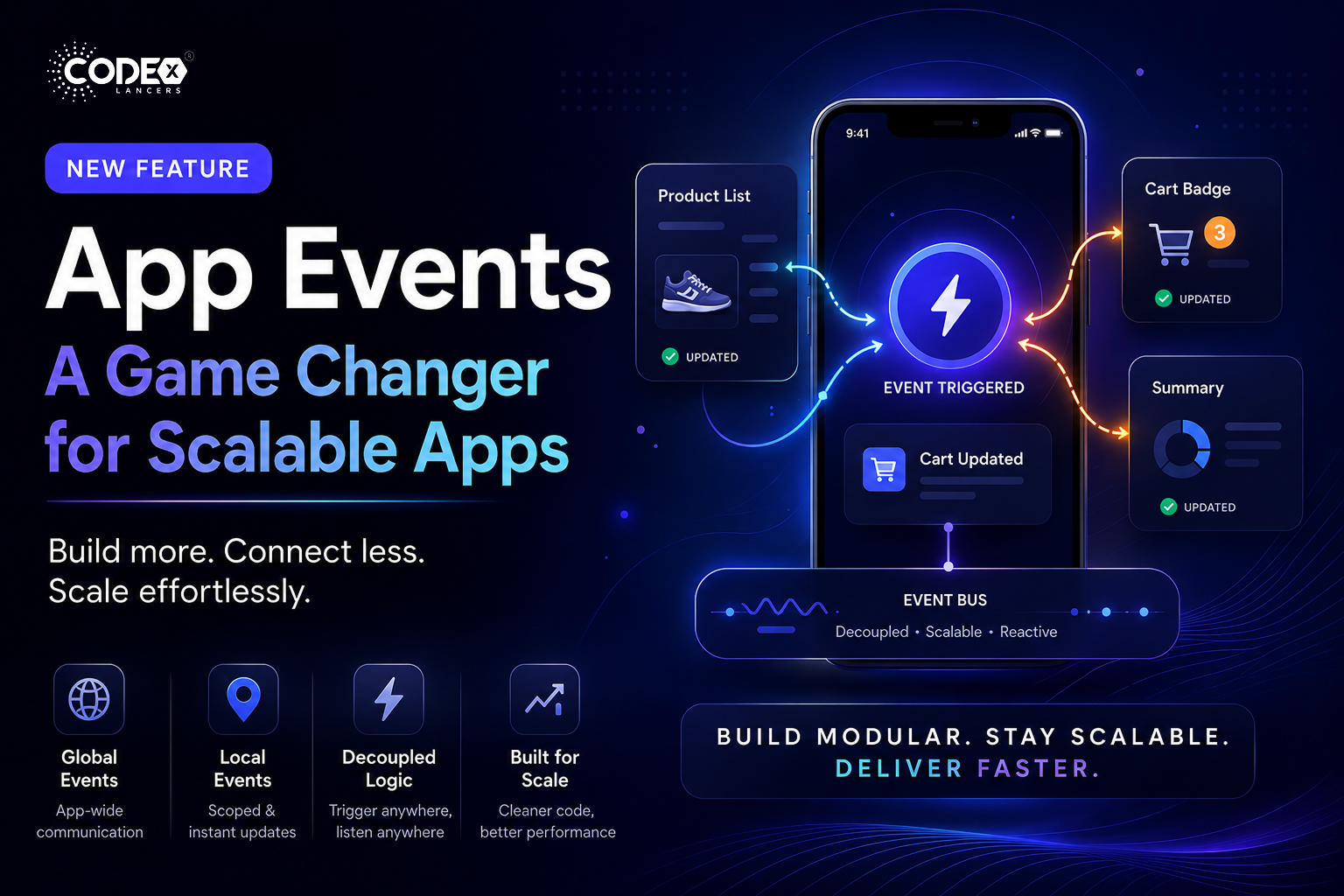
How It Works (Simple Example)
Let’s say a user adds an item to the cart 🛒
Without App Events:
- Manually update cart badge
- Refresh product list
- Update summary screen
- Pass state across multiple screens
With App Events:
- Trigger event → “Cart Updated”
- All relevant UI components automatically react
That’s it. No messy logic.
Key Highlights
Global Events
- App-level events
- Handled across the entire application
- Processed sequentially
Perfect for:
- Authentication state changes
- Analytics tracking
- Logging
Local Events
- Scoped to specific pages or components
- Support multiple listeners
- Trigger instant UI updates
Perfect for:
- UI refresh
- Component communication
- Dynamic interactions
Why This Feature Matters
App Events bring FlutterFlow closer to modern software architecture patterns, such as:
- Event-driven systems
- Loose coupling
- Reactive UI updates
Benefits:
- Less complex code structure
- Better performance
- Easier debugging
- Improved scalability
My Take
This is easily one of the most impactful updates in FlutterFlow in recent times.
It solves a real problem developers face when scaling apps and introduces a pattern that aligns with how modern applications are built.
Final Thoughts
FlutterFlow continues to evolve beyond just a UI builder — it’s becoming a serious development platform capable of handling complex applications.
App Events are a big step in that direction.
If you haven’t explored it yet, now is the time.
#FlutterFlow #NoCode #LowCode #AppDevelopment #MobileDevelopment #Firebase #UIUX #TechUpdate #Developers